 Carvomi
Everyday use
It turns on by itself
If you picked your car during setup, Carvomi turns on when your phone connects to the car’s Bluetooth. Just tap the bookmark in the car’s browser.
💡 If you use your phone as a Tesla key, Carvomi starts getting ready several tens of seconds before you reach the car. The screen is there as soon as you sit down.
Turn it on yourself
- Tap Turn on car screen in the app.
- Or pull down Quick Settings and tap the Car screen tile.
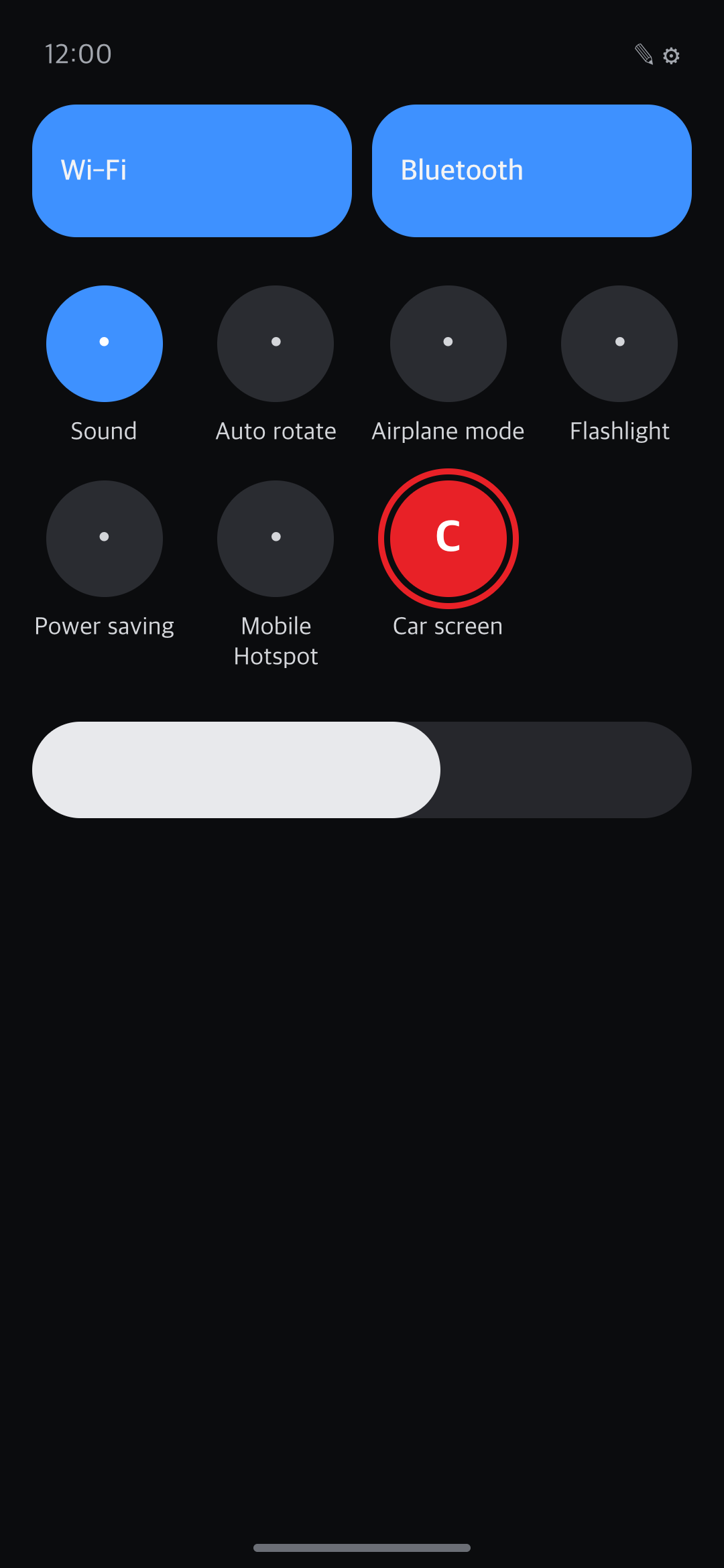
Turn it off
- Tap Stop in the notification, Turn off in the app, or the tile.
- When you leave the car, it turns off by itself after a short wait (30 seconds by default). Get back in before then and you pick up where you left off.
- Change the wait in app Settings → Automatic on/off → “Wait after leaving the car”.
- When it turns off, any phone settings Carvomi changed (keyboard, screen rotation) go back to how they were.
Hotspot on and off by itself
Turn on these two options in app Settings and you never have to touch the hotspot:
- “Turn on the hotspot when Carvomi starts”: the hotspot comes on when you get in.
- “Turn off the hotspot when Carvomi stops”: it goes off when you leave, to save battery.
A hotspot you turned on yourself before Carvomi started stays on.
Debugging on and off by itself
The dedicated car screen runs on your phone’s debugging feature. Carvomi keeps debugging on while it runs, and turns USB and wireless debugging off by itself when you leave the car. No cable needed. It turns them back on when you get in again.
Still stuck? Email carvomi@gmail.com with your diagnostic code (DX-…).